Accounts works best on a short list of companies you really want to win. Each one gets research, a mapped buying committee and touches you approve one by one, so the list you choose decides your results. This guide shows how to pick those companies and how many to take on.
Test each company with four questions
Ask these four questions about every company before you add it. A company that passes all four is worth one-to-one work.
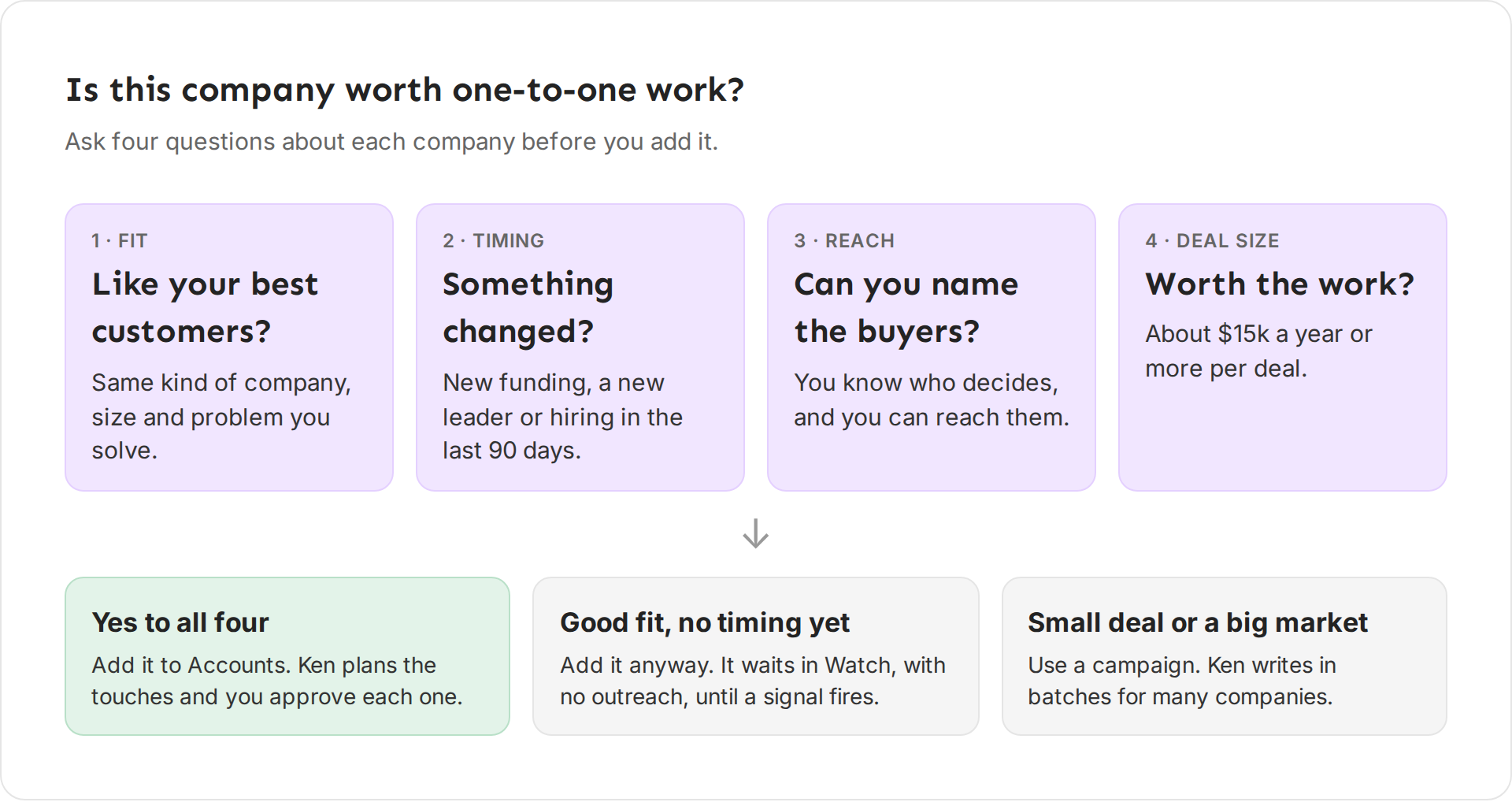
- Fit. Does it look like your best customers? Compare it with the customers you would happily sign again: same kind of company, similar size, and the problem you solve. Write your fit in one sentence. Pathline's reads: "Series B to D software companies with 30 to 300 reps, selling to the CRO or the RevOps leader."
- Timing. Did something change? A company that recently raised money, hired a new sales leader or opened sales roles has a reason to act now. These are the signals Ken looks for. A signal adds to the account's score for 90 days and counts most in its first week.
- Reach. Can you name the people who decide? One-to-one work means writing to real people: the buyer, the person who would use your product and the person who signs off. In Ken's own target-list work, we start with the founder or CEO at companies under 50 people, and with the sales leader at bigger ones. If nobody there has a work email Ken can find, Ken has nobody to write to yet.
- Deal size. Is the deal worth the work? As a rule of thumb, work companies one to one when one deal is worth about $15,000 a year or more and your whole market has 25,000 or fewer people who could buy. Below that, a campaign reaches more people for the same effort.
What to do with the answer:
- Yes to all four: add it to Accounts.
- Good fit, but no timing yet: you can still add it. Its low score puts it in the Watch tier. Watch gets no outreach, and Ken keeps checking it for new signals once a day. When a signal fires, the score rises.
- Small deal or a big market: put it in a campaign instead. See Choose between Accounts and Campaigns.
Decide how many accounts you can work
The limit is your time, not Ken's. In a Tier 1 plan, every touch is written for one person, and you approve each one before it goes out. Ken spaces Tier 1 touches at least 10 days apart, so a plan fits about 9 touches over 90 days, and 90 days hold about 64 workdays.
At 9 touches per account, that works out like this:
| Tier 1 accounts | Touches in 90 days | Touches to approve per workday |
|---|---|---|
| 25 | 225 | about 4 |
| 50 | 450 | about 7 |
| 100 | 900 | about 14 |
Replies, meetings and calls come on top of that. Start with 25 accounts or fewer, and add more once your days have room.
Research has a cost too. Each new account uses about 18 credits: about 12 for research, signals and scoring, and about 6 for valid emails of the buying committee, only when Ken finds them. At $0.02 a credit, 25 accounts come to about 450 credits ($9). See How credits work.
Spend the most effort on the best accounts
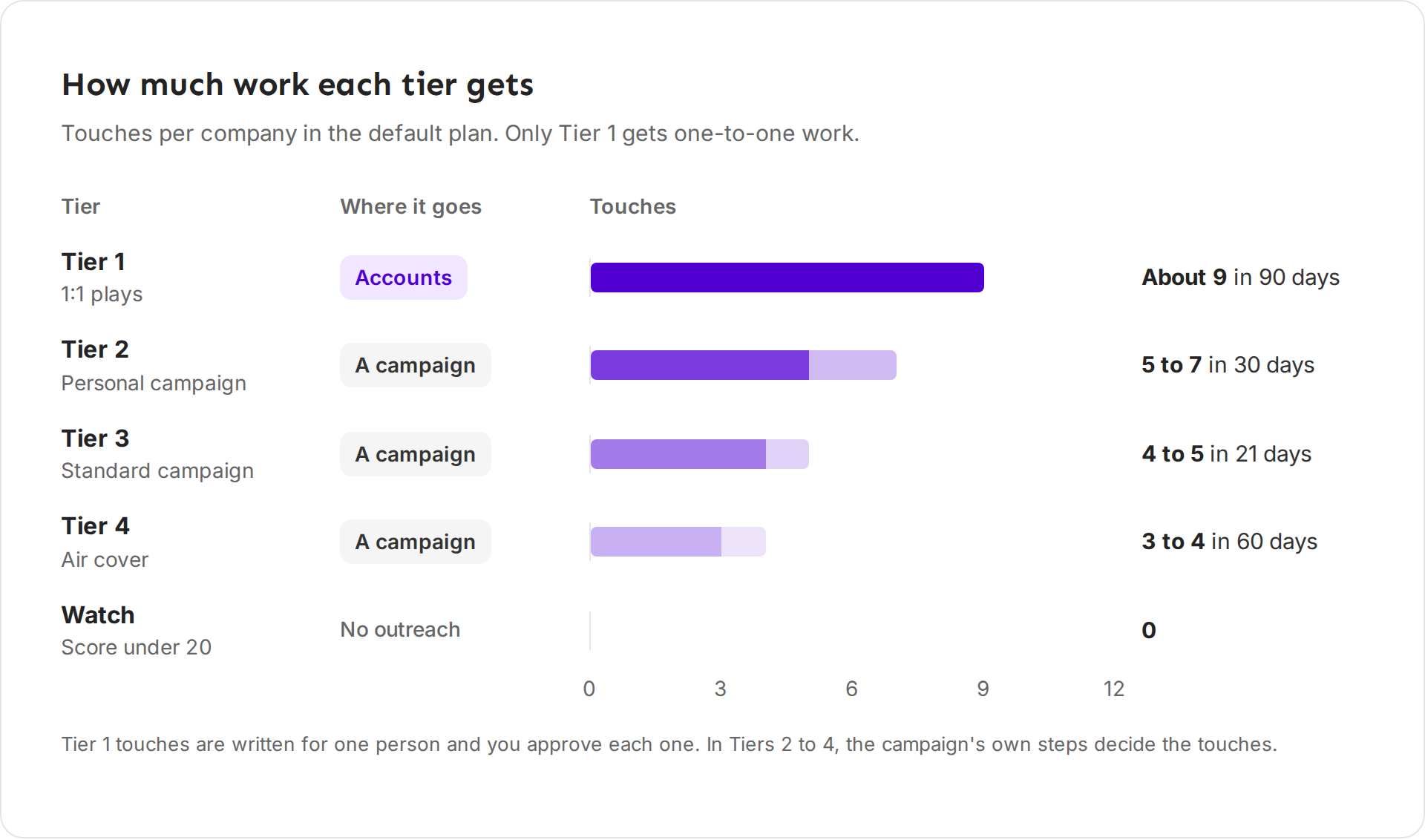
Ken scores every account from 0 to 99, based on its recent signals and on how many of its people are engaged. The score puts the account in a tier. Only Tier 1 gets one-to-one work in Accounts. Tiers 2 to 4 send the account's people to a campaign you pick for that tier, and Watch gets no outreach.
| Tier | Score | Where it goes | Default plan |
|---|---|---|---|
| Tier 1, 1:1 plays | 65 and up | Accounts | About 9 touches over 90 days, each written for one person |
| Tier 2, Personal campaign | 50 to 64 | A campaign | 5 to 7 touches over 30 days |
| Tier 3, Standard campaign | 35 to 49 | A campaign | 4 to 5 touches over 21 days |
| Tier 4, Air cover | 20 to 34 | A campaign | 3 to 4 touches over 60 days |
| Watch | under 20 | Accounts, watch only | No outreach |
Use the tiers to decide where your own time goes. Read the briefs and review the touches of your Tier 1 accounts first. The score is a guide. If you know something it does not, like a warm intro, read that account's brief early anyway. How signals and tiers work explains the score.
Find the companies
Start with the companies that already know you, then widen. This is the order Ken's own team uses when it builds a target list.
- Warm companies. People who replied with interest but never booked a meeting, referrals, and companies where you or your team know someone.
- Companies with a signal. A recent funding round, a new sales leader, or open roles for the team you sell to. These give you a reason to write today.
- Lookalikes of your best customers. List your five best customers and write down what they share: industry, size, stage and the tools they use. Then find more companies like them, for example in the portfolio of an investor or accelerator that backed one of them.
- Fill the rest from Search. In Search, filter for the same things, select the companies, then click Add to and Accounts. Ken opens the add dialog with their domains filled in, and nothing is added until you confirm.
Before you add the list, clean it:
- Keep one row per company, and use the company's own website domain.
- Take out current customers.
- Take out companies you must not contact, for example ones on your blocklist.
What works
- Fewer, better accounts. Every Tier 1 touch is personal and you approve it. A list of 25 you can work well beats 200 you only skim.
- Weigh fit the most. When Ken's team ranks its own target list, fit is worth 40 points out of 100, signs that the company needs what we sell 30, deal size 15 and warmth 15. A perfect-timing company that does not fit still loses.
- Expect to drop some. In Ken's own target-list work, about 1 in 10 companies is dropped after a closer look. If you drop none, you are not looking closely. If you drop more than 1 in 4, fix where the list comes from.
- Act while the signal is fresh. A signal counts in full for 7 days, at 60% up to 30 days and at 30% up to 90 days. The Heating up view on the Accounts list shows accounts with a signal in the past 7 days.
- Add in small batches. Add 10 to 25 companies at a time, read the first briefs, then add more. See Add target accounts and let Ken research them.
Example: Jordan's first shortlist
Jordan Mills, an AE at Pathline, starts with six companies and runs the four questions.
| Company | Fit | Timing | Reach | Deal size | Decision |
|---|---|---|---|---|---|
| Halcyon Health | Yes, building a new sales team | Series C, 15 AE hires planned | CRO and Head of Enablement known | Large | Add to Accounts |
| Northwind Logistics | Yes | New VP RevOps | Four people known | Large | Add to Accounts |
| Brightwave | Yes | CEO posted about churn | Three people known | Medium | Add to Accounts |
| Corvid Security | Yes | CRO speaks at an event next month | Only the CRO | Medium | Add, then map more people |
| Tallow Payments | Yes | Opened 6 SDR roles | One person known | Small | Campaign |
| Oakline Labs | Yes | Nothing recent | One person known | Medium | Add, let it wait in Watch |
Five companies go to Accounts and one goes to a campaign. Jordan reads the first briefs, maps more people at Corvid Security, and comes back for more companies once the first touches are out.
If something goes wrong
- "My list is too long to work." Keep only the companies that pass all four questions, and put the rest in a campaign. Use the table above to size the list to your week.
- "Most of my accounts are in Watch." Their scores are low because they have few recent signals. That is normal for a new list. Ken checks them once a day and the score rises when a signal fires. Work the accounts with signals first.
- "I can't find anyone to write to at a company." Open the account's People tab, click Add people and pick Ask Ken to find them. See Map the buying committee. If there is still nobody, drop the company for now.
- "I don't know our deal size." Use the size of deals you have already won. If you have none yet, start with a campaign and move the companies that reply into Accounts.
Still stuck? Write to [email protected] and tell us what you sell and who you sell to.
Next: Add target accounts and let Ken research them, How signals and tiers work or Choose between Accounts and Campaigns.