A reminder puts a reply away until a day you pick, then brings it back to To Reply. Use it when the next step is in the future: "ping me in January", "after our board meeting", or a document you promised for Friday. Ken also sets reminders on its own when a reply names a time.
Set a reminder
-
Open the thread in the Inbox.
-
Click Remind me later (the calendar with a clock) in the toolbar at the top of the thread.
-
Pick a preset. Each one shows the date it means.
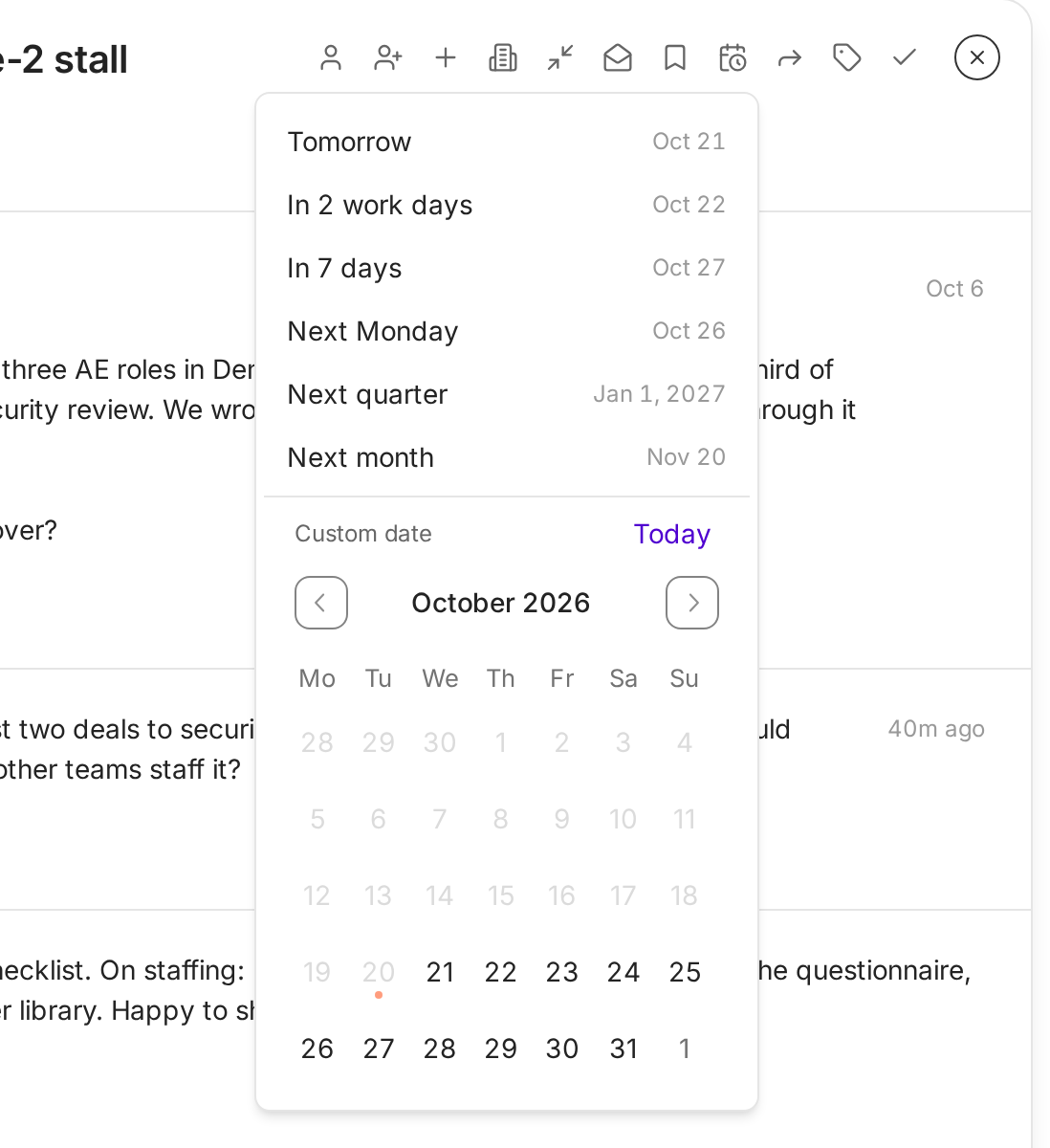
Each preset shows its date. Pick any other future day in the calendar. Preset Comes back Tomorrow The next day In 2 work days Two working days from today In 7 days One week from today Next Monday The coming Monday Next quarter The first day of the next quarter Next month The same day next month -
For any other day, pick it in the calendar under Custom date. Today jumps the calendar back to this month.
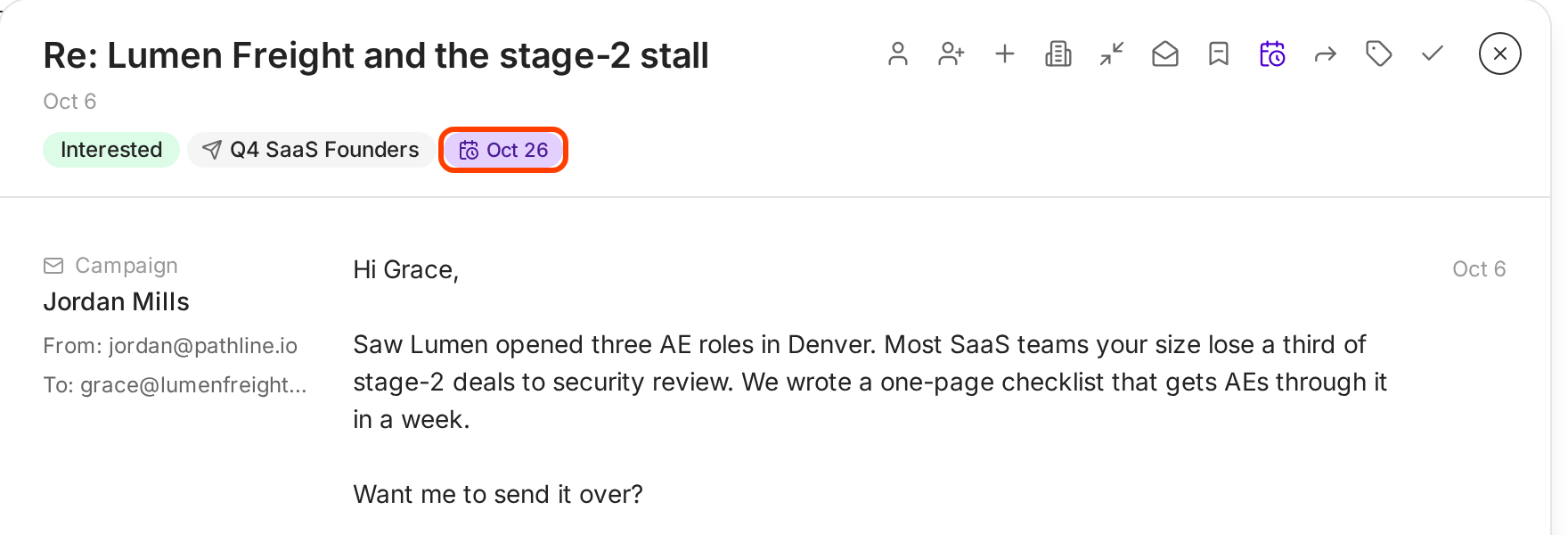
The toast says "Reminder set for" and the date, with Undo. The date shows as a chip under the subject.
Faster with the keyboard. Select a thread and press H. Ken sets a reminder for In 2 work days right away. If Ken suggested a check-in date for that thread, H uses that date instead.
Where the reminder comes back
While the reminder waits, the thread sits in the Saved tab with its date. Setting a reminder also saves the thread.
On the day, the thread comes back to To Reply, even if you marked it done. That is why the usual move is to set the reminder and then mark the thread done (E). Your list stays clear until the day you need it.
Change or clear a reminder
- Click the date chip under the subject, or Remind me later in the toolbar.
- To move it, pick another preset or day.
- To clear it, click Mark reminder done. The toast says "Reminder marked done". The thread stays in Saved until you unsave it with S.
Marking a thread done also clears a reminder that is already due.
When Ken sets the reminder for you
Ken reads every reply for timing. When a prospect names a time and the thread has no reminder yet, Ken sets one for the start of that period and saves the thread.
| They write | Ken sets the reminder for |
|---|---|
| "tomorrow" | Tomorrow |
| "next week" | 7 days from the reply |
| "next month" | The 1st of next month |
| "in a few months" | The 1st of the month about 3 months out |
| "next quarter" | The 1st day of the next quarter |
| "in Q2" (or Q1, Q3, Q4) | The first day of that quarter, next year if it has passed |
| "after the holidays" | January 2 |
| "next year" | January 1 |
| A date, such as "March 3" | That date |
Ken only sets dates in the future and no more than 24 months out. A reminder you set yourself always wins. Ken never replaces it.
Reminder or done?
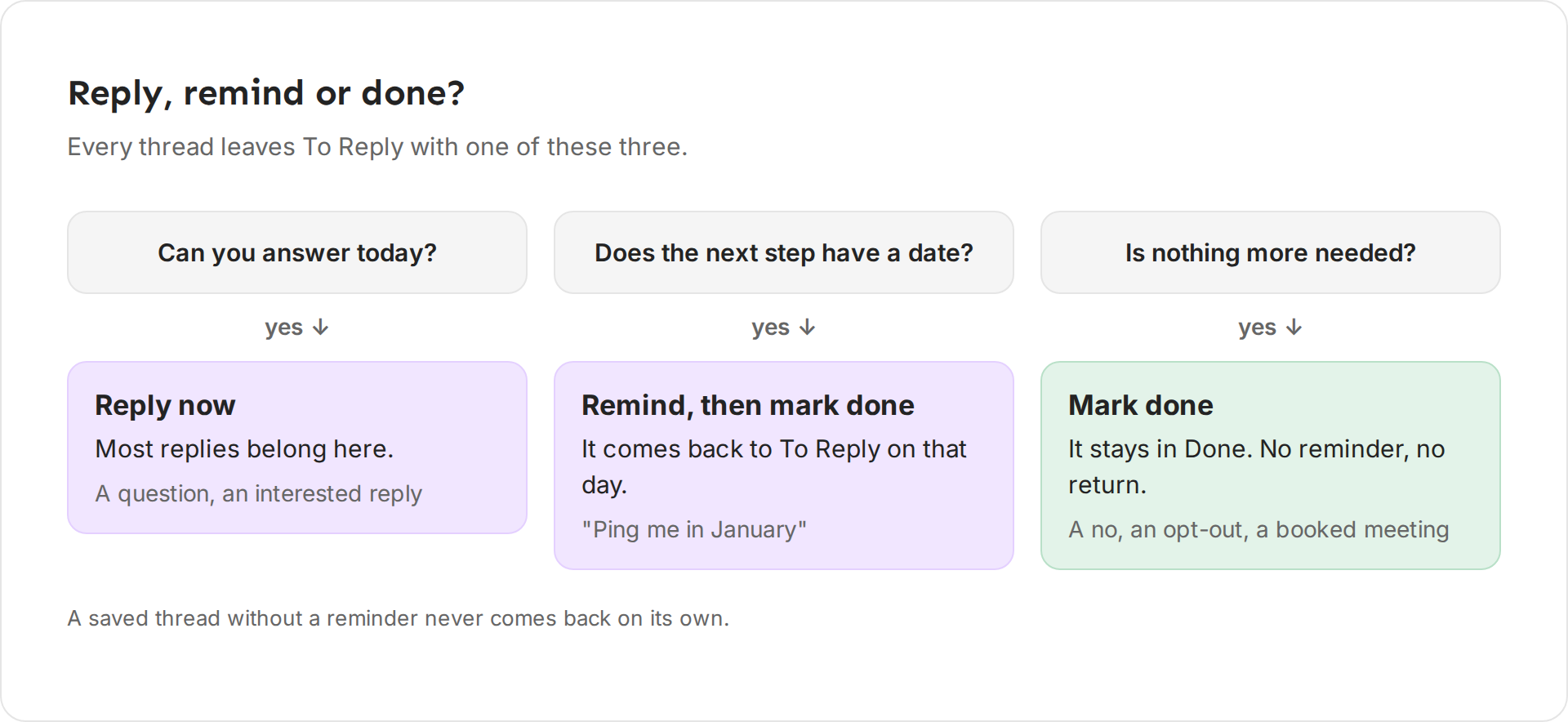
- Reply now when you can answer today. Most replies belong here.
- Set a reminder, then mark done when the next step has a date: "ping me in January", "after the board meeting", "send it Friday".
- Mark done when nothing more is needed: a no, an opt-out, a booked meeting.
A saved thread without a reminder never comes back on its own. If you want to see a thread again, give it a date.
Snooze from Today
When a reply shows in Today, press H on its row to snooze it. Ken sets an Inbox reminder and saves the thread, and the toast says the day it comes back. Touches and other rows on Today snooze differently. See Work through Today.
Tips from our team
- Write the date into your reply. "I'll send it on January 5" gives the prospect a reason to expect you, and the reminder makes sure you do.
- One reminder per thread. Moving a reminder again and again is a sign the deal is stalled. Decide, then mark it done.
- Plan check-ins before holidays. "After the holidays" lands on January 2, a busy day for everyone. Move it a week if your buyer takes a long break.
If something goes wrong
"A reply came back that I marked done." Its reminder came due. That is the reminder working. Answer it or set a new date.
"Ken set a reminder I don't want." Click the date chip and click Mark reminder done.
"Ken did not set a reminder for 'next quarter'." The thread already had a reminder, or the date was more than 24 months out. Set it yourself with Remind me later.
"I can't find a snoozed reply." Open the Saved tab. Threads with a reminder wait there with their date.
Next: Keyboard shortcuts, Work through Today or Sort and clear the Inbox.