Ken gives better answers when it knows what you are trying to get done, for whom, and what the answer should look like. A request of one or two extra sentences usually saves three rounds of "no, shorter" and "no, the other Priya". This guide shows what to put in a request, with weak and strong versions of five everyday sales tasks.
What a strong request names
A strong request answers the questions a new teammate would ask before starting. You rarely need all five parts. Add the ones Ken cannot guess.
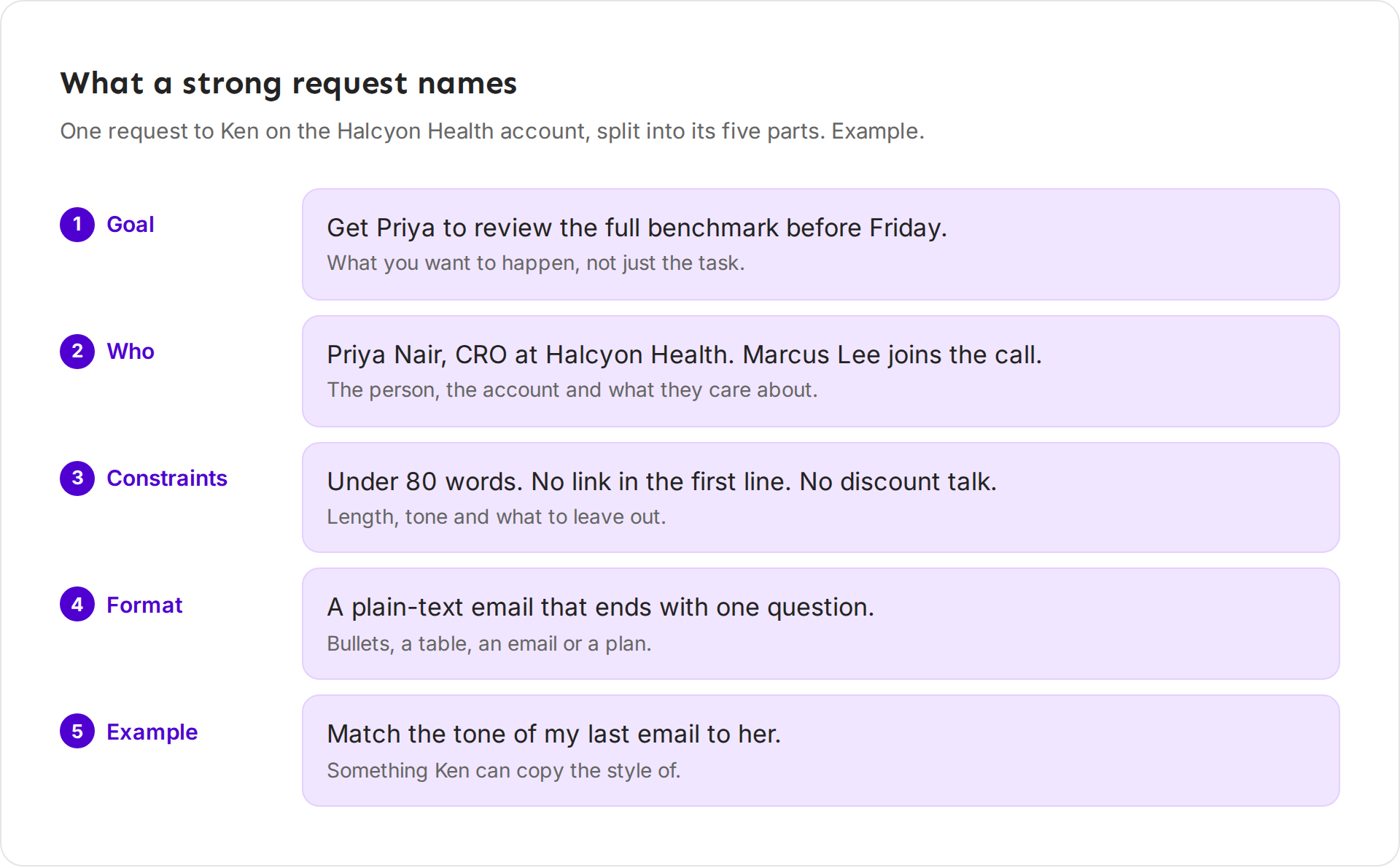
- The goal. Say what you want to happen, not only the task. "Get Priya to review the full benchmark before Friday" tells Ken what the email is for. "Write a follow-up" does not.
- Who. Name the person, their role and the account. If someone else matters, say so: "Marcus Lee joins the call."
- Constraints. Length, tone, and what to leave out. "Under 80 words. No link in the first line. No discount talk."
- Format. Say the shape you want back: five bullets, a table, a plain-text email, a one-line plan per day.
- An example. Point Ken at something to copy: "Match the tone of my last email to her," or paste two lines you liked.
Ken already knows a lot without being told. On an account page, with page sharing on, it knows the account, its people, and every touch, reply and meeting. So "Who here have we not touched yet?" is a complete request on the Halcyon Health page. The same words on Today are not.
Five tasks, weak and strong
The weak versions below are not wrong. Ken will answer them. But the answer will be generic, and you will spend the next few messages steering it.
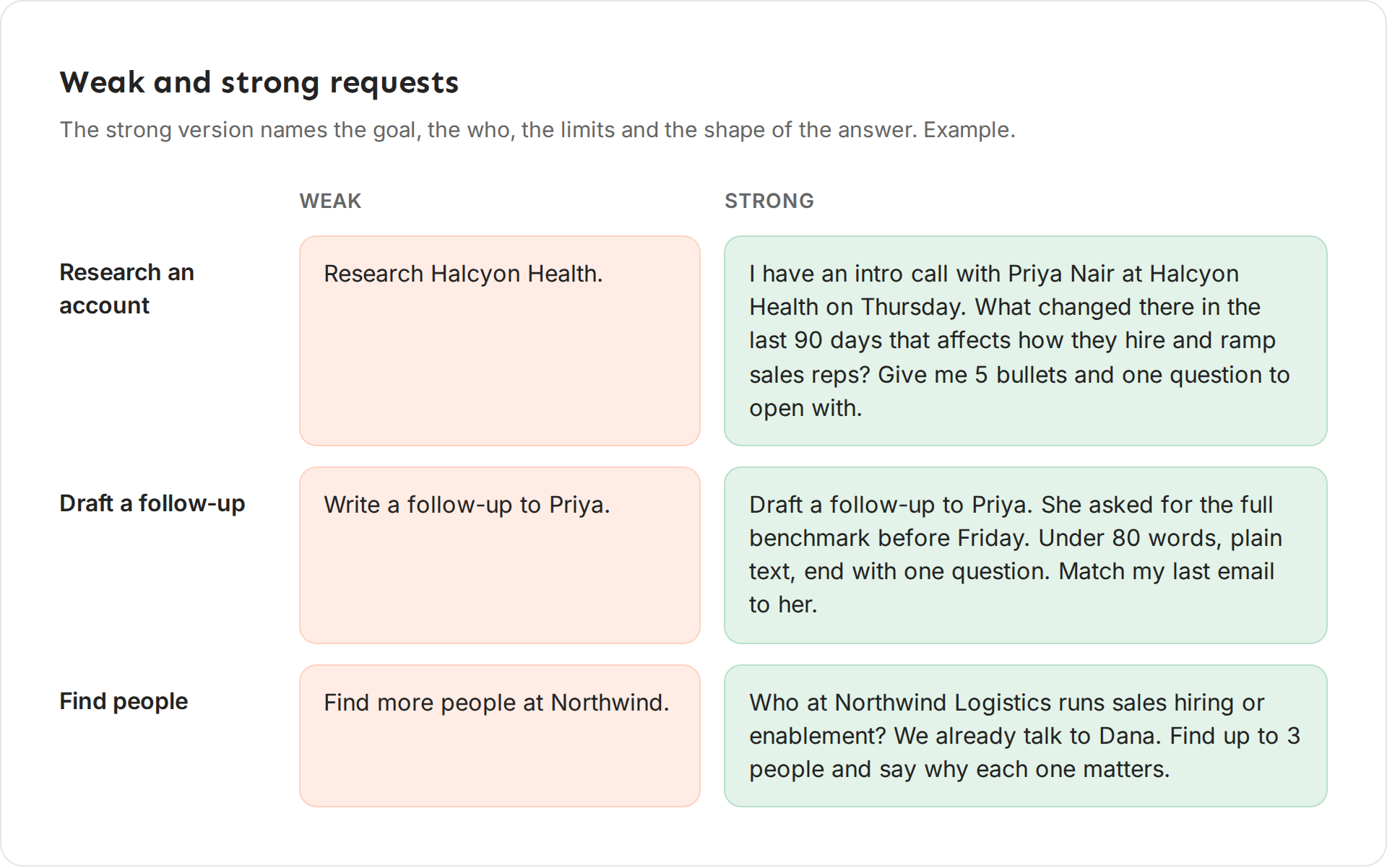
Research an account
- Weak: "Research Halcyon Health."
- Strong: "I have an intro call with Priya Nair at Halcyon Health on Thursday. What changed there in the last 90 days that affects how they hire and ramp sales reps? Give me 5 bullets and one question to open with."
The strong version gives Ken a reason (the call), a time window (90 days), a lens (hiring and ramp), and a format (5 bullets and a question). You get a call prep sheet instead of a company profile.
Draft a follow-up
- Weak: "Write a follow-up to Priya."
- Strong: "Draft a follow-up to Priya. She asked for the full benchmark before Friday. Under 80 words, plain text, end with one question. Match my last email to her."
The strong version tells Ken what Priya asked for, so the email answers it. The length and the closing question keep it easy to reply to.
Find people
- Weak: "Find more people at Northwind."
- Strong: "Who at Northwind Logistics runs sales hiring or enablement? We already talk to Dana. Find up to 3 people and say why each one matters."
Naming the roles and the person you already know stops Ken from returning Dana again, or ten names you cannot use. "Say why each one matters" gives you the opening line for each.
Summarize a thread
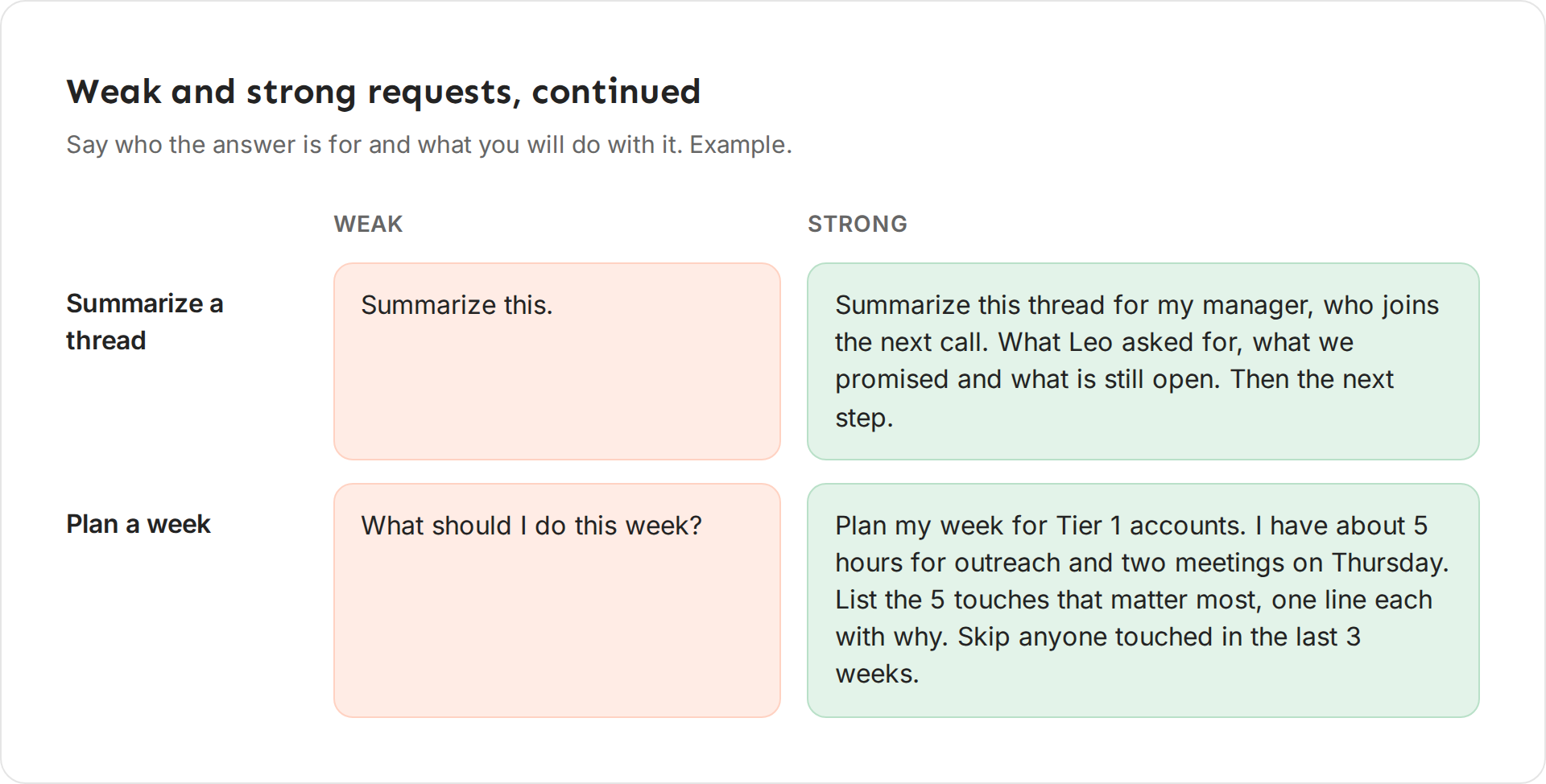
- Weak: "Summarize this."
- Strong: "Summarize this thread for my manager, who joins the next call. What Leo asked for, what we promised and what is still open. Then the next step."
A summary for you and a summary for your manager are different. The strong version says who reads it and which three things they need.
Plan a week
- Weak: "What should I do this week?"
- Strong: "Plan my week for Tier 1 accounts. I have about 5 hours for outreach and two meetings on Thursday. List the 5 touches that matter most, one line each with why. Skip anyone touched in the last 3 weeks."
The strong version gives Ken your real time budget and a rule to follow. A list of 5 touches you can finish beats a list of 30 you cannot.
Change the answer instead of starting over
Your first answer is a draft. Reply to it in the same chat. Ken keeps everything you said before, so a short follow-up is enough.
| You got | Reply with |
|---|---|
| Too long | "Half as long. Keep the question at the end." |
| Too formal | "Write it the way I wrote my last email to her." |
| The wrong angle | "Lead with the hiring news, not the product." |
| The wrong person | "Not Dana. Write it to Maya Chen in RevOps." |
| Too many options | "Pick one and tell me why." |
| A claim you doubt | "Where did that come from?" |
When Ken proposes an action, click Change on the approval card and say what to fix. Ken drafts the card again. For a touch that already exists, the button is Edit, and it opens the touch so you can fix it yourself. If you click Dismiss, nothing changes, and Ken asks what you want instead.
Start a New chat when you switch to a different account or task. An old chat full of Halcyon Health details can pull a Northwind answer off course. The ring next to the model button shows how full the chat is, and turns orange at 80%.
Give Ken something to copy
An example works better than a description. "Friendly but direct" means something different to everyone. An email you actually sent does not.
- Point to your own email. "Match my last email to Priya" works on an account page, because Ken can see your touches there.
- Paste a short sample. Two or three lines are enough to set the tone and length.
- Save it once. If you write the same kind of request every week, turn it into a skill in Knowledge. Ask Ken on the Knowledge page: "Turn my last 3 intro emails into a skill." Once the skill is on in Knowledge, it shows up as a slash command in the Ken pane.
Tips from our team
- Open the record first. Ask about an account from its page, and about a reply from its thread. You can skip the who, and Ken uses the real history.
- Ask for numbers, not adjectives. "Which 3 accounts had the most replies in the last 30 days?" gets a list you can act on. "Which accounts are doing well?" gets an opinion. Ken quotes real numbers and the date range they cover.
- Ask for fewer things. Five touches you can send today are worth more than twenty you will skim. Say the number you want.
- Say what to leave out. "No pricing", "No link in the first email", "Skip anyone with an open deal". Ken cannot follow a rule you only had in your head.
- One task per message. "Research the account, find three people and draft an email to each" works better as three messages, so you can correct the first answer before Ken builds on it.
- Check before you approve. Ken asks before it sends or changes anything, but the approval is yours. Read the message on the card the way your prospect will.
What Ken will not do, however you ask
Ken never launches, deletes, archives or exports anything from the chat, and it never changes billing. Ask, and it tells you which page to use. A touch it drafts waits for the sender's approval in the chat or in Today. Ken also does not make up numbers. If it cannot find something in your data, it says so, and you can point it to the right record or ask it to research. For the full list, see What Ken does on its own.
If something goes wrong
The answer is generic. Add the goal and the person. Open the account or thread first so Ken can see it.
Ken asks what I am looking at. Page sharing is off in this chat. Click the eye button at the top of the pane to share the page again.
Ken keeps writing long emails. Give a number ("under 80 words") and ask for one question at the end. If it happens every time, save your rules as a skill.
Ken picked the wrong person or account. Use full names: "Priya Nair at Halcyon Health". Two people with the same first name confuse Ken the same way they would confuse a new teammate.
The chat has drifted. Start a New chat and write one complete request with the five parts above. Do the same when the ring next to the model button turns orange.
Next: What Ken does on its own, Ask Ken from any page or Teach Ken how you write.