Kenso sends email from two kinds of inbox, and the domain an inbox is on decides which kind it is. Here's what a domain is, what each kind of inbox does, and why campaigns use separate domains.
What a domain is
A domain is the part of an email address after the @. It is the company's name on the internet.
One domain can hold many mailboxes, such as [email protected], [email protected] and [email protected]. A company buys its domain for a year at a time and renews it.
Every domain has a reputation
Gmail and Outlook give every domain a reputation, like a credit score. A low score can push the domain's email into spam, including your invoices and support replies.
- Raises the score: people read your emails and reply.
- Lowers the score: people mark your emails as spam, or emails bounce.
The two kinds of inbox
Kenso sends two kinds of email, and each comes from a different kind of inbox.
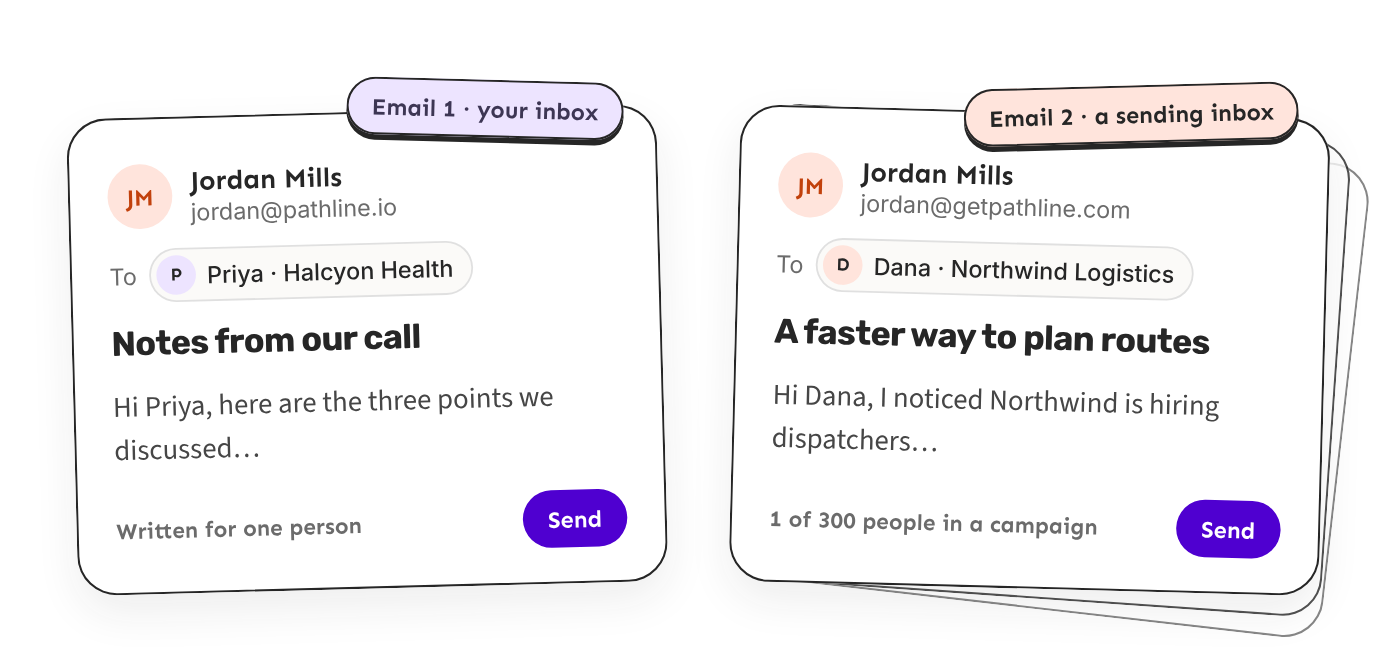
Your inbox: for personal emails
A personal email goes to one person and is written just for them. It comes from your normal work email, on your company's domain, so the person sees your real address and replies to you.
Ken uses your inbox for all your one-to-one emails. Everyone needs one, because Kenso needs it to work. There is one per person, and an established work mailbox doesn't need warm-up.
Sending inboxes: for campaigns
A campaign sends one offer to many people. Those emails come from extra addresses on separate domains, kept only for outreach. If some people mark them as spam, only those domains are hurt, and your company's email stays safe.
Ken spreads each campaign across several sending inboxes, often 2 or 3 per domain. You only need them if you send campaigns, and new ones need warm-up before campaigns start.
Replies to both come back into Kenso, so you answer everything in one place.
Why campaigns send from separate domains
Separate domains protect your company's email. Cold email goes to people who don't know you yet, so some will ignore it, mark it as spam, or bounce. That is normal, but it lowers the domain's reputation.
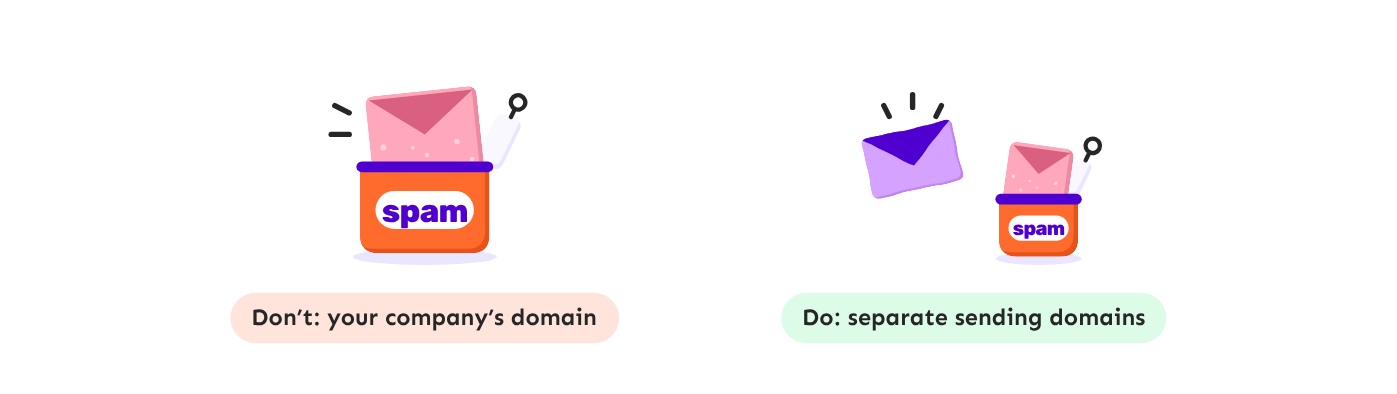
- Don't: campaigns on your company's domain. A few spam reports hurt the whole domain. Your invoices and support replies land in spam too.
- Do: campaigns on sending domains. If one sending domain gets a bad score, you rest or replace it. Your company's domain keeps working.
How Kenso tells them apart
You don't choose the kind of inbox. Kenso looks at the domain of each mailbox you add.
- A mailbox on a sending domain, such as [email protected], becomes a sending inbox for campaigns.
- A mailbox on your company's domain, such as [email protected], can only be your inbox. It is never used for campaigns.
Kenso does this for you. You only choose which sending inboxes each campaign uses. To connect your inboxes, see Connect your mailbox and LinkedIn.
Getting sending domains
You can let Ken set them up, or bring your own.

Buy through Kenso
You can let Ken buy and set up your sending domains. Ken picks the names, buys the domains, creates the inboxes, sets up the technical records and starts warm-up.
- Open Delivery, click Add inboxes, then Buy inboxes.
- Pick Google Workspace or Microsoft 365.
- Choose how many domains you want and how many inboxes go on each.
- Check the names Ken picked and the price, then click Pay.
Or click Set up with Ken in Delivery and tell Ken how many you need.
It costs about 550 credits ($11) a year per domain and 200 credits ($4) a month per inbox, and needs the Platform plan.
Bring your own
Buy the domains yourself, create the inboxes at Google or Microsoft, set up the records, then connect them. Ken can't warm these up. It is free in Kenso, on every plan.
What are the technical records? They are called DNS records. They let Gmail and Outlook check that email from the domain really comes from you. Without them, email lands in spam and replies don't reach Kenso. See Set up sending domains and check their DNS.
How many sending inboxes you need
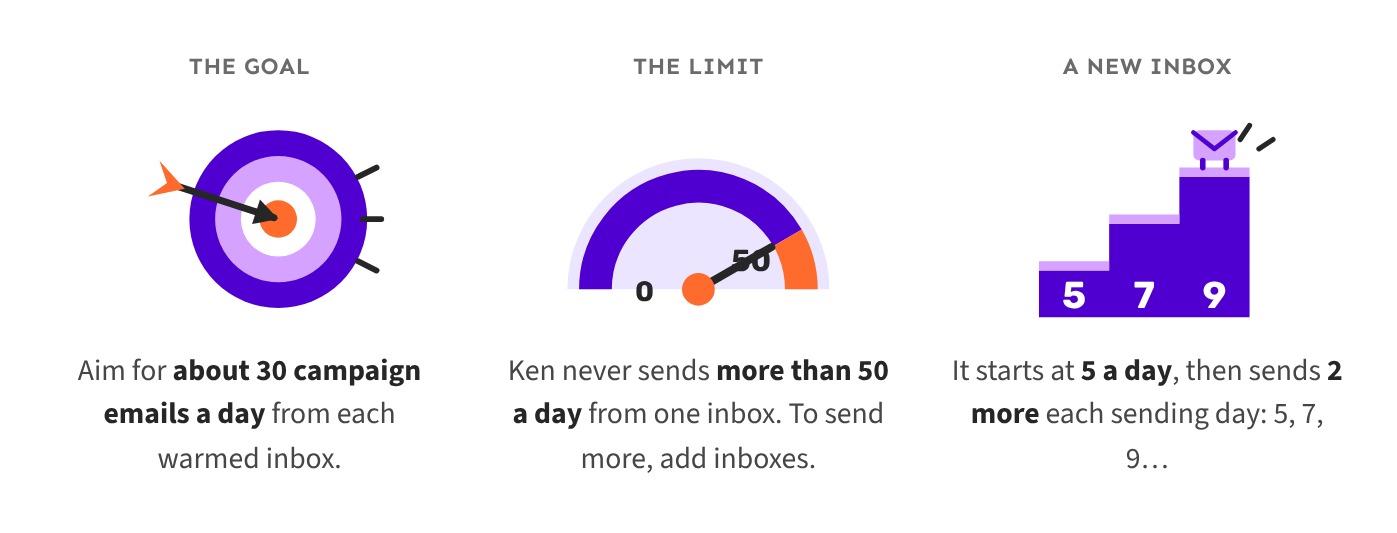
- The goal: aim for about 30 campaign emails a day from each warmed inbox.
- The limit: Ken never sends more than 50 a day from one inbox. To send more, add inboxes.
- A new inbox: it starts at 5 a day, then sends 2 more each sending day: 5, 7, 9 and so on.
For example, to reach 300 people a day: 300 ÷ 30 = 10 inboxes, plus 20% spare = 12 inboxes on 4 domains.
See How many inboxes do I need to work out your own numbers.
Warm-up
A new sending inbox has no history, so Gmail and Outlook don't trust it yet. Warm-up builds that trust before it sends campaigns.
- Inboxes bought from Kenso: Ken warms them up automatically and keeps warming them while they send.
- Inboxes you bring yourself: Ken can't warm them up. Warm them up outside Kenso first.
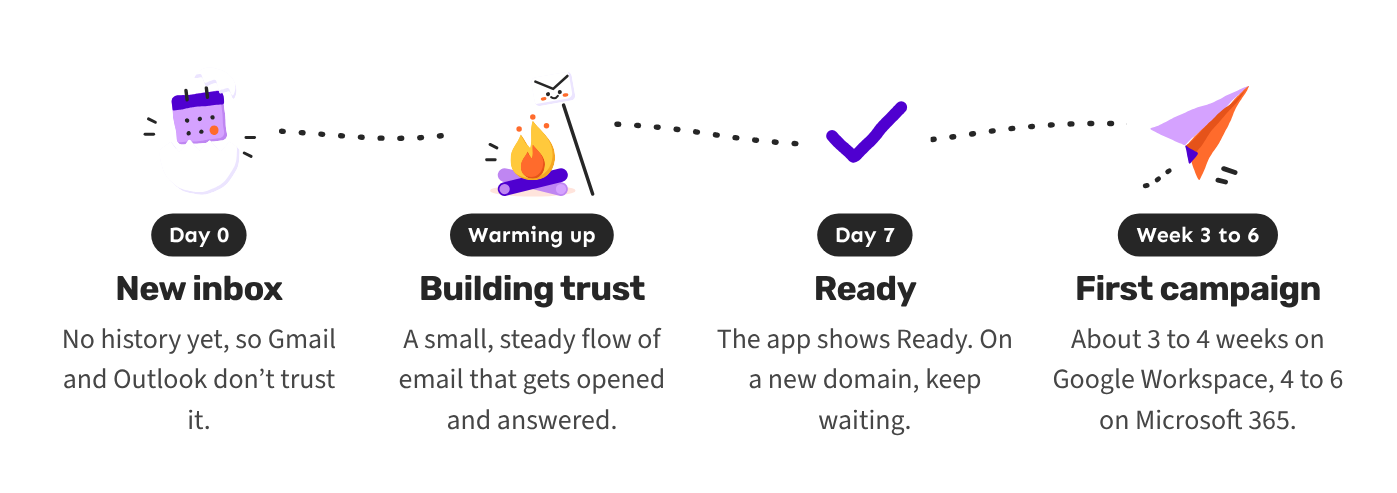
See How warm-up works for the details.